UniFi Network Planning Sheet
← All resources · Download the two-page planning sheet (PDF)
Map the work before the hardware.
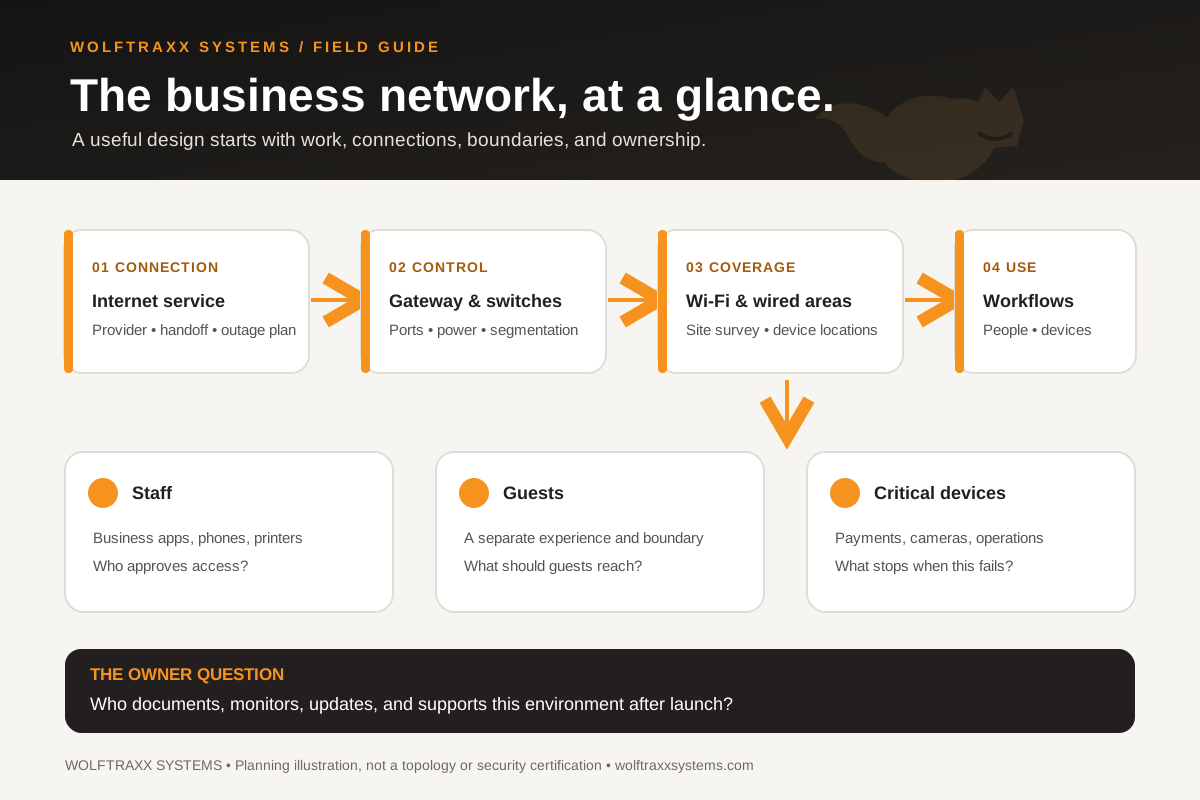
UniFi can be part of a business network, but a product list is not a network design. Start with where people work, what needs a wired connection, where Wi-Fi must perform, and who will own the environment after installation. Bring this sheet to an initial conversation with WOLFTRAXX SYSTEMS or your current provider.
For each question, note known / needs a decision / unknown, an owner, and any dependency. Do not include passwords, public IP addresses, network diagrams with sensitive details, or customer records in a first sales inquiry.
1. Workflows and locations
- Which spaces need staff Wi-Fi, guest access, payment connectivity, phones, cameras, or fixed workstations?
- Which workflows stop when the internet or local network fails? Are there multiple sites or outdoor areas?
- Where are the current dead zones or recurring complaints? Note the time, device type, and location rather than guessing the cause.
- Is there a current floor plan and an equipment/port inventory? Who owns them?
2. Physical network and capacity
- What gateway, switches, access points, cabling, racks, and backup power are already installed?
- Which devices need Power over Ethernet, and what switch power budget and cabling paths are available? Confirm against the specific devices selected.
- How many staff, guest, voice, camera, and other devices connect now—and what change is expected over the next 12–24 months?
- What internet service and handoff are available at each site? Would an alternate connection be useful for a critical workflow?
3. Access and separation
- Which devices should be on staff, guest, payment, camera, or other separate networks?
- Who approves user and administrator access, and how is access removed when someone leaves?
- What guest experience is needed? A guest network and its isolation rules should be designed and tested for the site, not assumed from a default setting.
- Which vendors need network access, and who approves and documents their requirements?
4. Operating ownership
- Who will hold the administrator account, configuration backups, device inventory, and change record?
- Who handles firmware review, alerts, troubleshooting, ISP coordination, and warranty cases—and on what written terms?
- Which acceptance checks matter: coverage in named areas, wired ports, guest separation, phone/payment workflow tests, and a documented handover?
Turn the worksheet into a scoped proposal.
A useful next step defines the site survey, proposed architecture, equipment selections, installation dependencies, acceptance checks, and post-install ownership. Those are project decisions; this sheet is not a fixed package, a performance guarantee, or a promise that every UniFi feature is included.
Discuss a network project · Explore business networks and Wi-Fi · View a simple network map (SVG)
UniFi is a Ubiquiti product name. This independent WOLFTRAXX SYSTEMS planning resource is not a Ubiquiti specification sheet or an endorsement claim. Feature availability and final design depend on the selected hardware, software and site conditions. For technical background, see Ubiquiti’s Wi-Fi SSID/VLAN guidance and guest Wi-Fi guidance.